Electronic Traffic Accident Report: How to Fill It Out on Your Phone in a Few Minutes
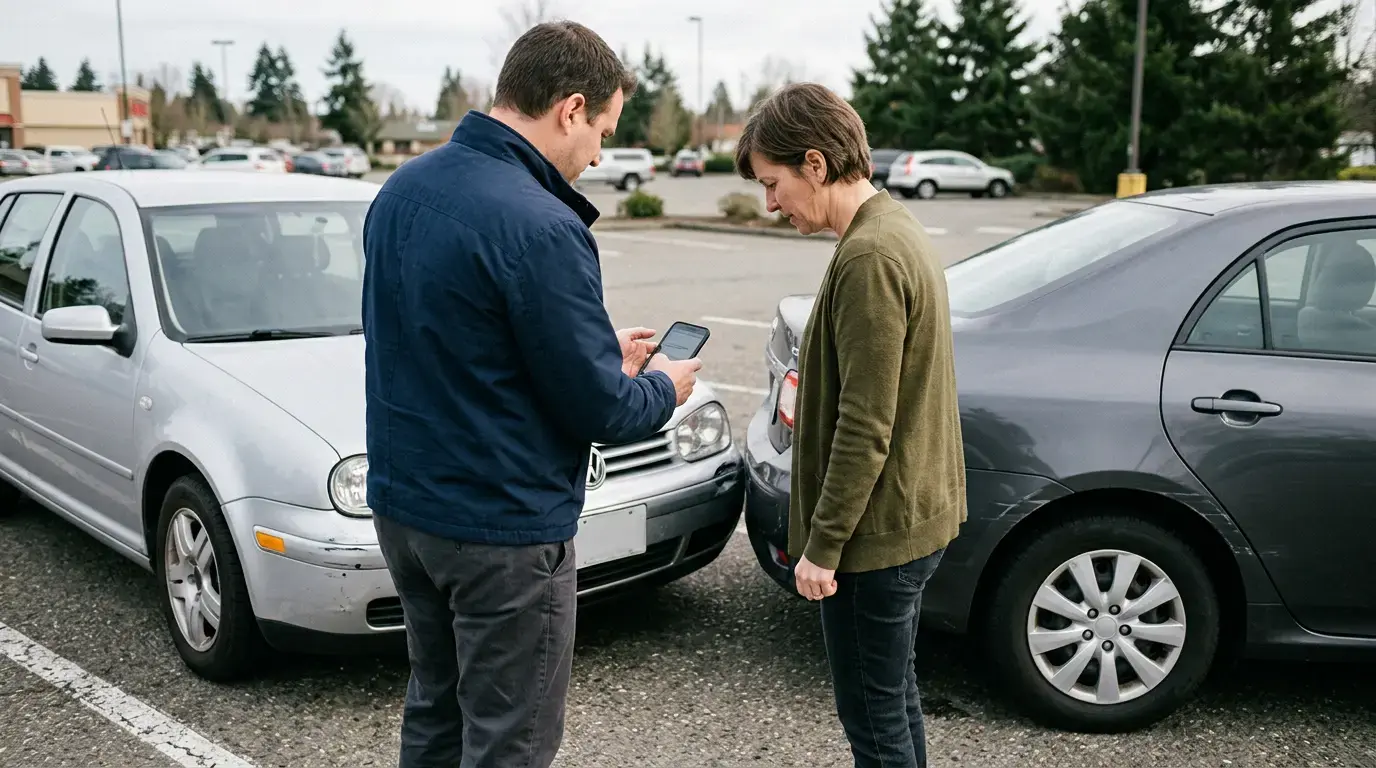
A parking lot at a shopping center. Two cars, a scratched bumper, two flustered drivers, and not a single blank sheet of paper in sight. It’s a situation many of us know from experience.
In the past, this meant a hassle. You’d search for a paper form that no one had anymore, try to remember if you filled in the fields correctly, and hope the ink hadn’t smudged. Now you can take care of everything on your phone while standing next to your car.
Many drivers still don’t know this simple fact—you don’t need a paper report. The online traffic accident report is filled out right in your phone’s browser, and most of the data is automatically pulled from government databases.
In shortAfter a minor traffic accident with no injuries, you can fill out the report on your phone at draudimoivykiai.lt—data about the vehicles and insurance policies is loaded automatically, and both drivers sign electronically. The process takes a few minutes and is more secure than the paper-based method, as it avoids illegible handwriting and errors. If the other driver refuses to sign on the phone, each party can submit their own report separately.
When a Report Is Enough, and When You Need the Police
An electronic traffic accident report is not suitable in all cases. It can be filled out when the incident is straightforward and the circumstances are clear.
A report is sufficient when: - no one is injured; - only two vehicles are involved; - both drivers agree on the circumstances of the accident; - no damage has been caused to third parties or public property (for example, when not only the car but also the road infrastructure has been damaged).
You must call the police if anyone is injured, if the other driver is intoxicated, has fled the scene, refuses to provide their information, or if you’ve been involved in an accident with a driver who doesn’t have insurance. You must also call the police if damage has been caused to state or municipal property.
Warning: If even one person was injured—even slightly—a report is NOT ENOUGH. In such a case, you must call the police and, if necessary, an ambulance. The accident report is intended only for property damage without injuries.
Why the electronic version is safer than the paper one
A paper claim form has several weaknesses that few people consider until problems arise.
First of all—illegible handwriting. The insurer receives a form where half the fields are simply impossible to read, and this delays the entire claims process.
Then there’s missing information. When you’re in a hurry, it’s easy to forget to include the policy number, the vehicle’s VIN, or the exact time. An electronic claim form fills in some of this information automatically.
A single copy is yet another problem. Both parties sign the paper claim form, but later one of the drivers often claims they didn’t receive a copy or lost their copy. The electronic version is stored in the system and accessible to both parties.
And then there are the details. A diagram sketched on paper is sometimes so vague that it’s hard for the insurer to understand what actually happened. The digital form has clearer fields and the option to add photos.
The biggest problem with paper claims forms isn’t the paper itself, but the fact that it’s never on hand when you need it.
How to Fill Out a Claim Form on Your Phone, Step by Step
You can complete the entire process while standing at the scene of the incident. All you need is a phone with an internet connection and the ability to log in.
1. Open draudimoivykiai.lt in your phone’s browser. You don’t need to install a separate app—the website is optimized for mobile screens. Enter the address directly into the browser.
2. Log in. Authentication is usually done via online banking or another identity verification method. Once logged in, you’re immediately identified, so there’s no need to manually enter your name or personal identification number.
3. The data loads automatically. The system retrieves information about your vehicle and your valid liability insurance from the registries. The policy number, insurance company, and license plate number—all of this appears automatically.
4. Describe the circumstances of the incident. Enter the time, location, directions, and circumstances. The form provides pre-filled options (for example, “was traveling in the same direction and in the same lane”), so you don’t have to start from scratch.
5. Attach photos. Take photos of both vehicles, the damage, the overall scene, and the surroundings. Photos are very helpful for the insurer in understanding the sequence of events.
6. The other driver confirms their information. The other party signs the same report and confirms their version of events.
7. Both parties sign electronically and submit the form. The completed report becomes available to the insurers of both parties.
2 vehicles—that’s the maximum number that can be included in a single claim form
A few minutes—that’s the average time it takes to fill it out on a phone
€0—filling out the declaration costs nothing
What to do if the other driver refuses to sign on the phone
This is where real problems most often arise—problems that official sources rarely mention.
Sometimes the other driver doesn’t know how to use the system, can’t connect, or simply refuses to fill out anything on their phone. There’s really no need to panic.
Each party involved in the traffic accident can submit their own report separately. If there’s no mutual agreement on filling it out electronically, fill out your part and submit it, and the other driver will submit theirs—either electronically or on paper.
Paper reports, by the way, are still valid. If one party categorically refuses the digital option, no one is forcing them to use it. You can sign a paper form if someone has one on hand.
The most important thing is to gather the information. Even if you can’t agree on a joint report, write down the other driver’s first and last name, phone number, license plate number, and insurance company. Take photos of the cars and the scene. This information will allow the insurance company to process the claim even without a perfectly filled-out form.
Important: If the other driver is angry, acting aggressively, or trying to flee the scene—do not try to stop them or force them to sign anything. Take a photo of the car and its license plate, and call the police. Safety is more important than a perfectly filled-out claim form.
Paper vs. Electronic Accident Report: A Comparison
| Criterion | Paper accident report | Electronic claim form |
|---|
| Where to get it | You must have the form with you | on draudimoivykiai.lt in your browser |
| Filling out the form | Everything is done manually | Some data is automatically retrieved from registries |
| Legibility of the document | Depends on handwriting | Always legible |
| Photos | Cannot be added | Can be added immediately |
| Copy storage | Paper can be discarded | Stored in the system |
| Submission to the insurer | Must be submitted separately | Available automatically |
Common mistakes when filling out the declaration
Even the digital format doesn’t protect against human error. Here are some of the most common ones.
Not enough photos. Drivers sometimes take photos only of their own damage. But you need an overall view, including both cars, license plates, and the surroundings, so it’s clear where and how the collision occurred.
Rushed descriptions of the circumstances. If you fill out the details carelessly, it will be difficult to prove who is at fault later on. Take a few minutes to accurately describe the directions and the sequence of events.
Moving the cars before taking photos. If the accident isn’t obstructing traffic, first take photos of the initial scene, and only then move the vehicles.
Failure to verify the other driver’s insurance. It’s worth making sure the other party has valid liability insurance. If they don’t, the situation is handled differently and may require the involvement of the Insurance Bureau.
“The first time, I filled out everything on my phone right outside a store. I was afraid it would be complicated, but my car’s details loaded automatically—I just had to describe the circumstances and attach photos. It took just a few minutes.” — Tomas, a driver from Kaunas
What Happens After the Claim Is Filed
The e-claim submitted after an accident is sent to the insurer, who begins processing the claim. The injured party contacts the at-fault driver’s liability insurer or, if they have comprehensive (KASKO) coverage, their own insurance company.
If you have a comprehensive auto insurance policy, it’s often more convenient to contact your own insurer—they’ll pay out according to the policy terms and later recover the funds from the at-fault party’s insurer. It is important to know your deductible—that is, the amount you must pay out of pocket. It depends on the policy terms and may vary depending on the insurance company you choose and the level of coverage.
If the damages are covered by the at-fault party’s mandatory insurance, the deductible does not apply—the victim receives compensation for the actual damages as assessed by the insurer.
However, if it turns out that your current insurance coverage is too limited or you don’t have comprehensive (KASKO) coverage at all, it’s worth reviewing your policies. You can compare prices and terms across different companies online, for example, on Draudykle.lt, where you can not only compare options but also purchase insurance immediately, and an insurance consultant will explain the differences between deductibles and coverage in plain language.
Frequently Asked Questions
Is an electronic accident report just as valid as a paper one? Yes. An electronic traffic accident report that has been filled out and signed by both parties has the same legal validity as a paper one. Insurers accept it as the basis for processing the claim.
Do I need to install an app? No. You can fill out the report on your phone using a web browser at draudimoivykiai.lt. You don’t need to download anything separately—all you need is an internet connection and the ability to log in.
What should I do if there’s no internet connection at the scene of the accident? Gather all the details and take photos of the vehicles and the scene. You can fill out the report a little later, once you have a connection. Most importantly, don’t forget to get the other driver’s contact information and insurance details.
How long do I have to report the accident to my insurer? The deadlines depend on the insurer and the policy terms; often, it’s a few business days. It’s best to report it as soon as possible—delaying can complicate the claims process. Check your insurance policy for the exact deadline.
Can I file a claim if the vehicles are no longer at the scene of the accident? Yes, if you have photos and clearly remember the circumstances. However, it’s recommended to document everything while you’re still at the scene, as it’s harder to reconstruct the exact situation later on.
Key Points at a Glance
You can fill out a traffic accident report online in just a few minutes right in your phone’s browser, and some of the data is loaded automatically. The digital version is more secure than the paper version, as it avoids illegible handwriting, lost copies, and missing data.
The report is sufficient only when there are no injuries and two vehicles are involved. If the other driver refuses to fill it out on their phone, each person can submit their own accident report separately—the most important thing is to collect the information and photos.
And one more thing: The accident report handles the aftermath of the incident, but only properly selected insurance provides real protection.
Compare insurance prices in just a few minutes
Draudykle.lt will help you compare offers from the most popular Lithuanian insurers and purchase insurance online.
Compare prices →